Changelog
Updates and improvements to Heybegin.
Improvements
July 31, 2025
Compact Mode
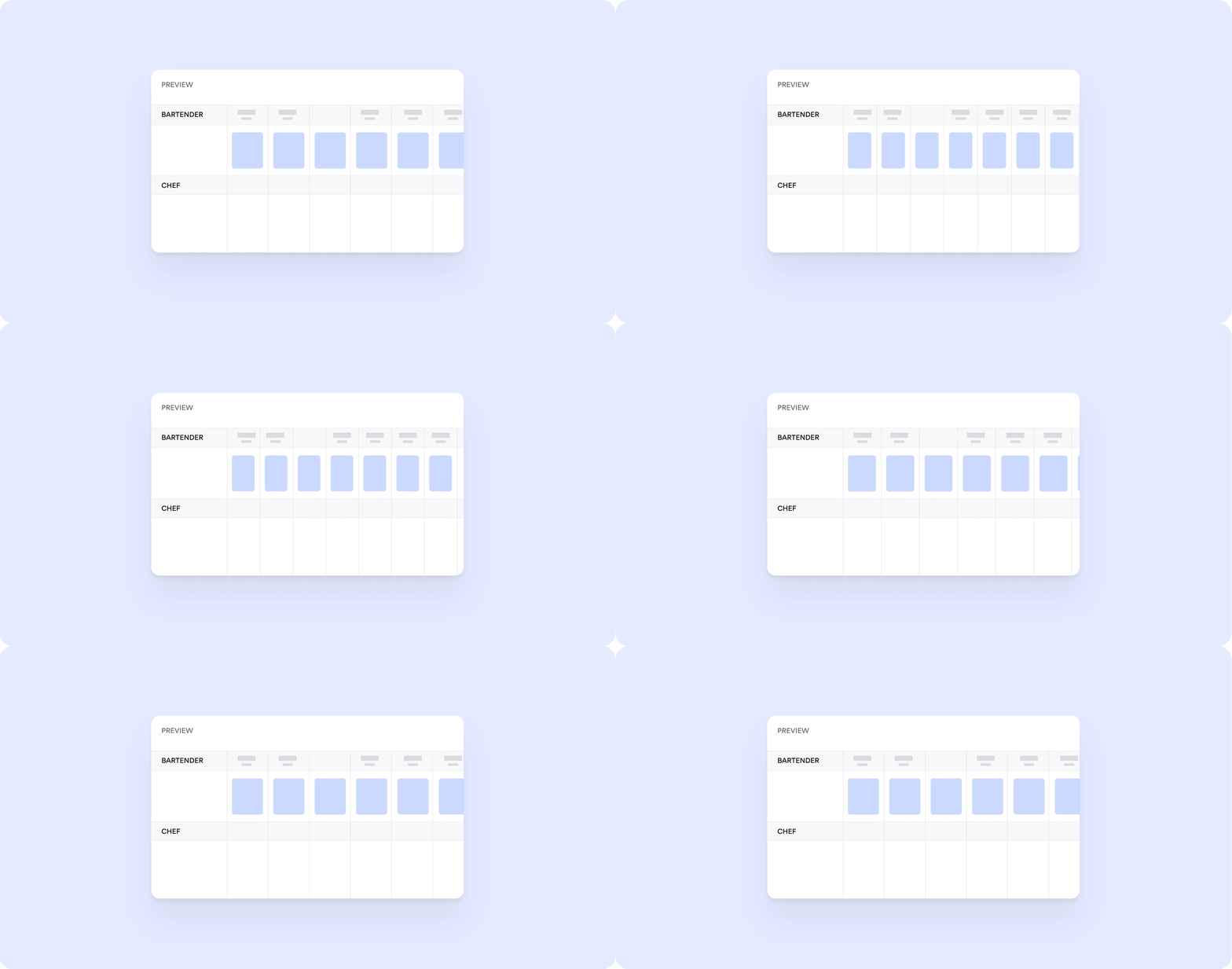
Discover the latest enhancements, fixes, and features designed to make our platform more efficient, secure, and user-friendly.
For more details on Schedule View settings, head over to our Help Center
Improvements
July 31, 2025
Compact Mode
Discover the latest enhancements, fixes, and features designed to make our platform more efficient, secure, and user-friendly.
For more details on Schedule View settings, head over to our Help Center
Improvements
July 31, 2025
Compact Mode
Discover the latest enhancements, fixes, and features designed to make our platform more efficient, secure, and user-friendly.
For more details on Schedule View settings, head over to our Help Center
Improvements
June 12, 2025
Notifications Inbox
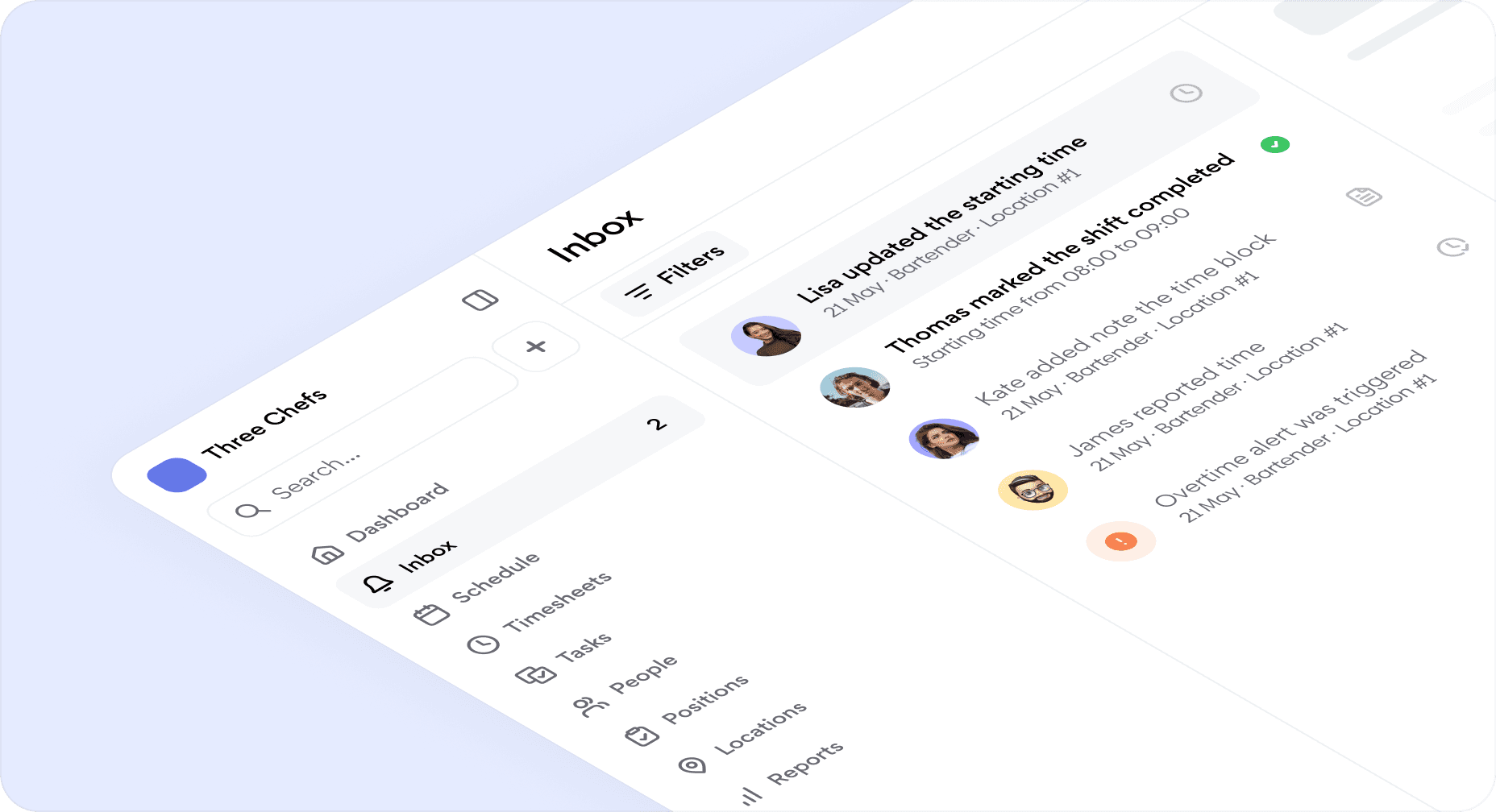
Introducing Notifications Inbox, a centralized space designed to streamline shift communication and keep your team in sync.
What's new
Centralized notifications: All shift and scheduling updates in one place.
Instant issue resolution: Approve, reject, or manage requests directly from your inbox—no need to navigate elsewhere.
Real-time updates: Immediate visibility into changes, requests, and approvals.
Powerful filters: Quickly sort notifications by type, location, or team member.
For more details on Notifications Inbox, head over to our Help Center.
Other Improvements & Fixes
Scheduler now highlights the active row to prevent scheduling errors.
Clock-ins and clock-outs are now instant, powered by our upgraded real-time sync engine.
New workspaces automatically get a 30-day Pro trial—no credit card required.
Managers receive instant email alerts when new members join via magic link.
Updated marketing website with clearer product details.
Resolved 200+ bugs across web and mobile apps.
Fixed syncing issues to make updates faster and more reliable.
Improvements
June 12, 2025
Notifications Inbox
Introducing Notifications Inbox, a centralized space designed to streamline shift communication and keep your team in sync.
What's new
Centralized notifications: All shift and scheduling updates in one place.
Instant issue resolution: Approve, reject, or manage requests directly from your inbox—no need to navigate elsewhere.
Real-time updates: Immediate visibility into changes, requests, and approvals.
Powerful filters: Quickly sort notifications by type, location, or team member.
For more details on Notifications Inbox, head over to our Help Center.
Other Improvements & Fixes
Scheduler now highlights the active row to prevent scheduling errors.
Clock-ins and clock-outs are now instant, powered by our upgraded real-time sync engine.
New workspaces automatically get a 30-day Pro trial—no credit card required.
Managers receive instant email alerts when new members join via magic link.
Updated marketing website with clearer product details.
Resolved 200+ bugs across web and mobile apps.
Fixed syncing issues to make updates faster and more reliable.
Improvements
June 12, 2025
Notifications Inbox
Introducing Notifications Inbox, a centralized space designed to streamline shift communication and keep your team in sync.
What's new
Centralized notifications: All shift and scheduling updates in one place.
Instant issue resolution: Approve, reject, or manage requests directly from your inbox—no need to navigate elsewhere.
Real-time updates: Immediate visibility into changes, requests, and approvals.
Powerful filters: Quickly sort notifications by type, location, or team member.
For more details on Notifications Inbox, head over to our Help Center.
Other Improvements & Fixes
Scheduler now highlights the active row to prevent scheduling errors.
Clock-ins and clock-outs are now instant, powered by our upgraded real-time sync engine.
New workspaces automatically get a 30-day Pro trial—no credit card required.
Managers receive instant email alerts when new members join via magic link.
Updated marketing website with clearer product details.
Resolved 200+ bugs across web and mobile apps.
Fixed syncing issues to make updates faster and more reliable.
Improvements
May 1, 2025
Notes Are Here!
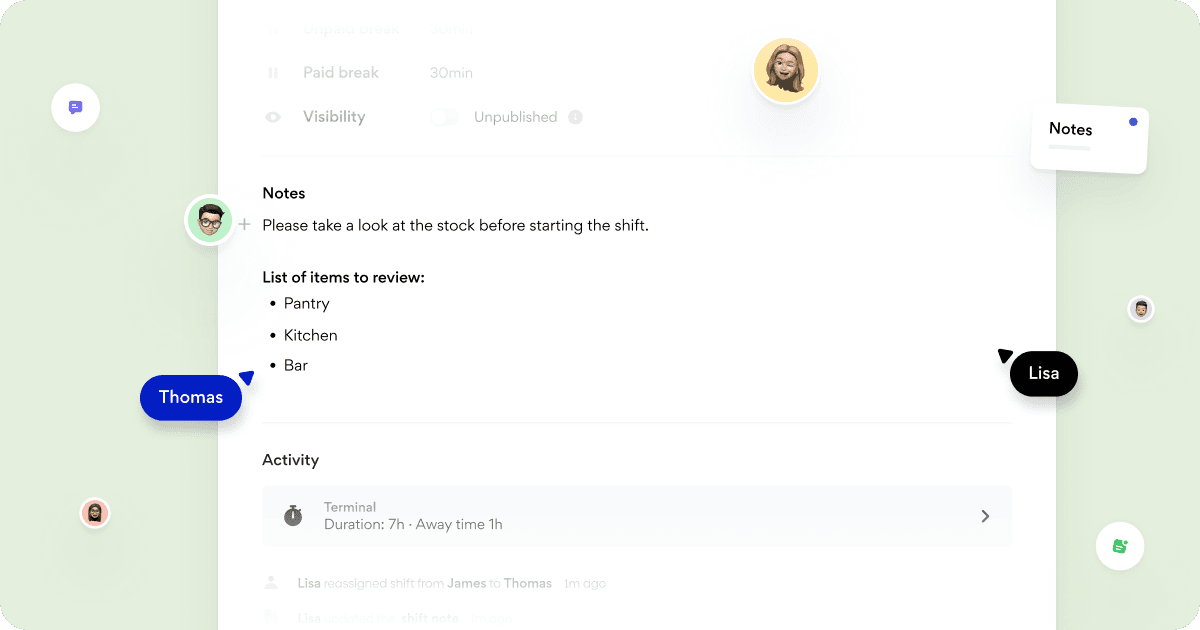
We’ve released the Notes feature to help improve communication and task management for your team!
Managers can now add essential details directly to shifts—think to-do lists, instructions, or reminders—to keep everyone aligned and informed. Whether it’s important tasks, prep work, or key reminders, Notes ensure the team has the information they need right at their fingertips.
Key Features:
Add Notes to Shifts: Easily enter notes in the "Notes" section of any shift. Use formatting options like to-do lists, bullet points, and headings to keep the information clear and actionable.
View Notes on the Dashboard: Notes are visible to all team members on their dashboard, ensuring they have access to critical details for their assigned shifts.
Consistent View Across the Platform: Notes are displayed both on the dashboard and within the shift details, keeping everyone on the same page.
The ability to edit notes is controlled by managers, and the permissions apply to everyone in the team. Managers can decide if notes are editable or view-only, ensuring clear and consistent communication for all team members..
Why You’ll Love Notes:
Share key instructions, updates, and tasks clearly across the team.
Improve task management and reduce the need for follow-up messages.
Help everyone stay focused and on track throughout their shifts.
Start using Notes today and simplify communication within the team!
Improvements
May 1, 2025
Notes Are Here!
We’ve released the Notes feature to help improve communication and task management for your team!
Managers can now add essential details directly to shifts—think to-do lists, instructions, or reminders—to keep everyone aligned and informed. Whether it’s important tasks, prep work, or key reminders, Notes ensure the team has the information they need right at their fingertips.
Key Features:
Add Notes to Shifts: Easily enter notes in the "Notes" section of any shift. Use formatting options like to-do lists, bullet points, and headings to keep the information clear and actionable.
View Notes on the Dashboard: Notes are visible to all team members on their dashboard, ensuring they have access to critical details for their assigned shifts.
Consistent View Across the Platform: Notes are displayed both on the dashboard and within the shift details, keeping everyone on the same page.
The ability to edit notes is controlled by managers, and the permissions apply to everyone in the team. Managers can decide if notes are editable or view-only, ensuring clear and consistent communication for all team members..
Why You’ll Love Notes:
Share key instructions, updates, and tasks clearly across the team.
Improve task management and reduce the need for follow-up messages.
Help everyone stay focused and on track throughout their shifts.
Start using Notes today and simplify communication within the team!
Improvements
May 1, 2025
Notes Are Here!
We’ve released the Notes feature to help improve communication and task management for your team!
Managers can now add essential details directly to shifts—think to-do lists, instructions, or reminders—to keep everyone aligned and informed. Whether it’s important tasks, prep work, or key reminders, Notes ensure the team has the information they need right at their fingertips.
Key Features:
Add Notes to Shifts: Easily enter notes in the "Notes" section of any shift. Use formatting options like to-do lists, bullet points, and headings to keep the information clear and actionable.
View Notes on the Dashboard: Notes are visible to all team members on their dashboard, ensuring they have access to critical details for their assigned shifts.
Consistent View Across the Platform: Notes are displayed both on the dashboard and within the shift details, keeping everyone on the same page.
The ability to edit notes is controlled by managers, and the permissions apply to everyone in the team. Managers can decide if notes are editable or view-only, ensuring clear and consistent communication for all team members..
Why You’ll Love Notes:
Share key instructions, updates, and tasks clearly across the team.
Improve task management and reduce the need for follow-up messages.
Help everyone stay focused and on track throughout their shifts.
Start using Notes today and simplify communication within the team!
Pizzerias
Cafes
Restaurants
Pubs
Hotels
Bakeries
Catering
Get started with Heybegin
Pizzerias
Cafes
Restaurants
Pubs
Hotels
Bakeries
Catering
Get started with Heybegin
Pizzerias
Cafes
Restaurants
Pubs
Hotels
Bakeries
Catering
Get started with Heybegin
Pizzerias
Cafes
Restaurants
Pubs
Hotels
Bakeries
Catering