Free Staff Schedule Maker: Complete Guide for 2026
Discover the best free staff schedule maker tools for restaurants and cafes. Compare features, learn scheduling tips, and reduce labor costs.
Managing staff schedules in restaurants, cafes, and hospitality businesses requires precision, flexibility, and constant communication. A free staff schedule maker can transform how service industry managers coordinate shifts, reduce conflicts, and maintain optimal staffing levels without breaking the budget. These digital scheduling tools eliminate the chaos of paper schedules and endless text message chains, replacing them with streamlined systems that save time and reduce costly scheduling errors.
Understanding Free Staff Schedule Makers
A free staff schedule maker is a digital platform that allows managers to create, edit, and distribute employee work schedules without upfront costs. These tools have evolved significantly beyond basic calendar templates, now offering sophisticated features that rival paid solutions.
Modern free scheduling platforms provide drag-and-drop interfaces, automated conflict detection, and real-time notifications. They eliminate manual calculations for labor costs and coverage gaps that traditionally consumed hours of management time.
Key advantages of using a free staff schedule maker include:
Zero licensing fees or monthly subscriptions for basic features
Cloud-based access from any device with internet connectivity
Instant schedule updates that reach all employees simultaneously
Reduced paper waste and environmental impact
Built-in compliance tracking for labor regulations
The service industry presents unique scheduling challenges. Unlike office environments with consistent 9-to-5 patterns, restaurants and cafes require flexible scheduling across breakfast, lunch, dinner, and late-night shifts. A quality free staff schedule maker addresses these complexities by accommodating variable shift lengths, split shifts, and high-turnover environments common in hospitality.
Essential Features for Restaurant Scheduling
Not all free staff schedule makers offer the same capabilities. Service industry businesses require specific functionality that addresses their operational realities.
Shift Templates and Recurring Schedules
Restaurants often operate with similar weekly patterns. Quality scheduling tools allow managers to create templates for typical service periods and replicate them with minor adjustments. This feature dramatically reduces the time spent building schedules from scratch each week.
Templates should accommodate position-specific requirements. A dinner shift might require two bartenders, three servers, one host, and two kitchen staff. The best employee scheduling software lets you save these configurations and apply them across multiple weeks.
Availability and Time-Off Management
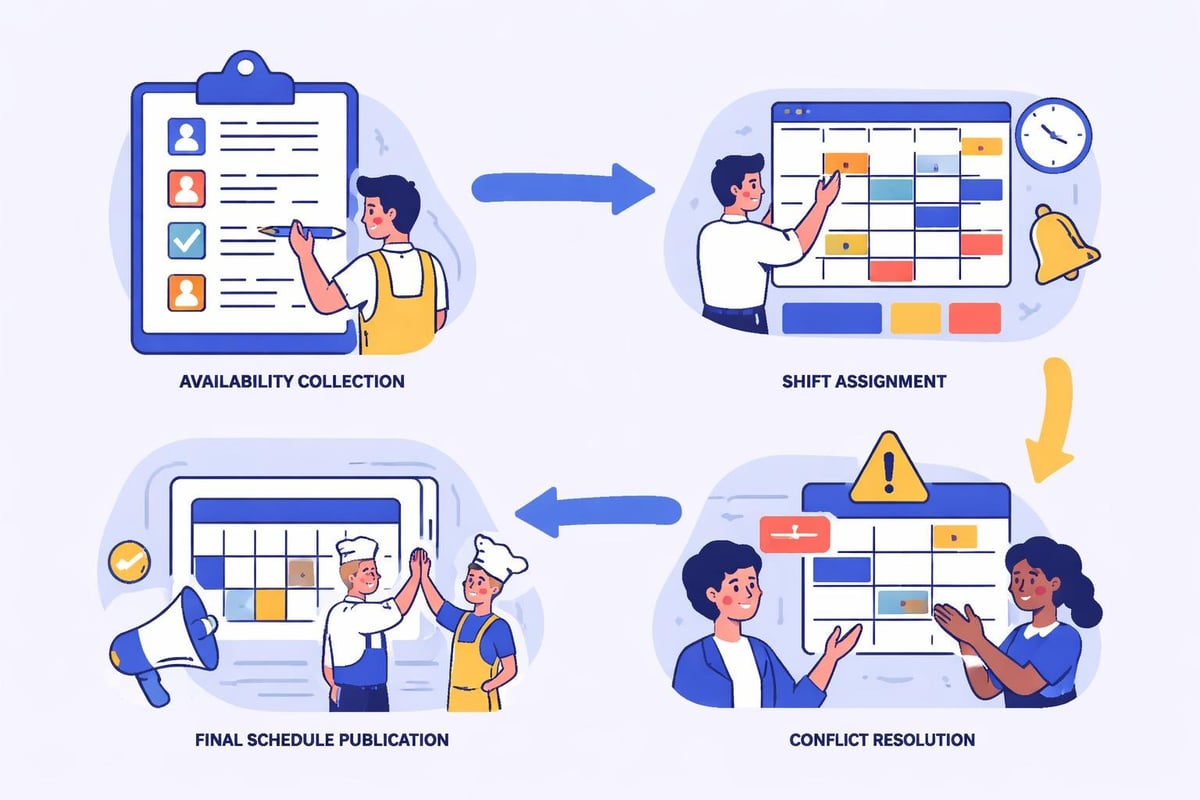
Server availability changes frequently due to school schedules, second jobs, and personal commitments. An effective free staff schedule maker collects availability preferences directly from employees through mobile apps or web portals.
Critical availability features include:
Recurring availability patterns (always unavailable Mondays)
One-time availability blocks for specific dates
Time-off request workflows with manager approval
Blackout dates when time-off requests cannot be approved
Automatic conflict warnings when scheduling unavailable staff
Platforms like TimeTrex's interactive employee schedule builder excel at visualizing availability constraints while building schedules, preventing the frustration of discovering conflicts after publication.
Labor Cost Tracking
Understanding labor costs for restaurants is crucial for profitability. The best free staff schedule makers calculate projected labor costs in real-time as you build schedules.
These calculations should include:
Cost Factor | Description | Why It Matters |
|---|---|---|
Hourly wages | Base pay rates for each position | Ensures accurate expense projections |
Overtime thresholds | Automatic flags when approaching 40 hours | Prevents expensive unplanned overtime |
Position differentials | Higher pay for specialized roles | Accounts for skill-based pay variations |
Time-and-a-half calculations | Weekend or holiday premium rates | Captures full cost of premium shifts |
Real-time cost visibility helps managers make informed decisions. If the schedule exceeds budget, they can immediately identify which shifts to adjust before finalizing assignments.
Comparing Free Staff Schedule Maker Options
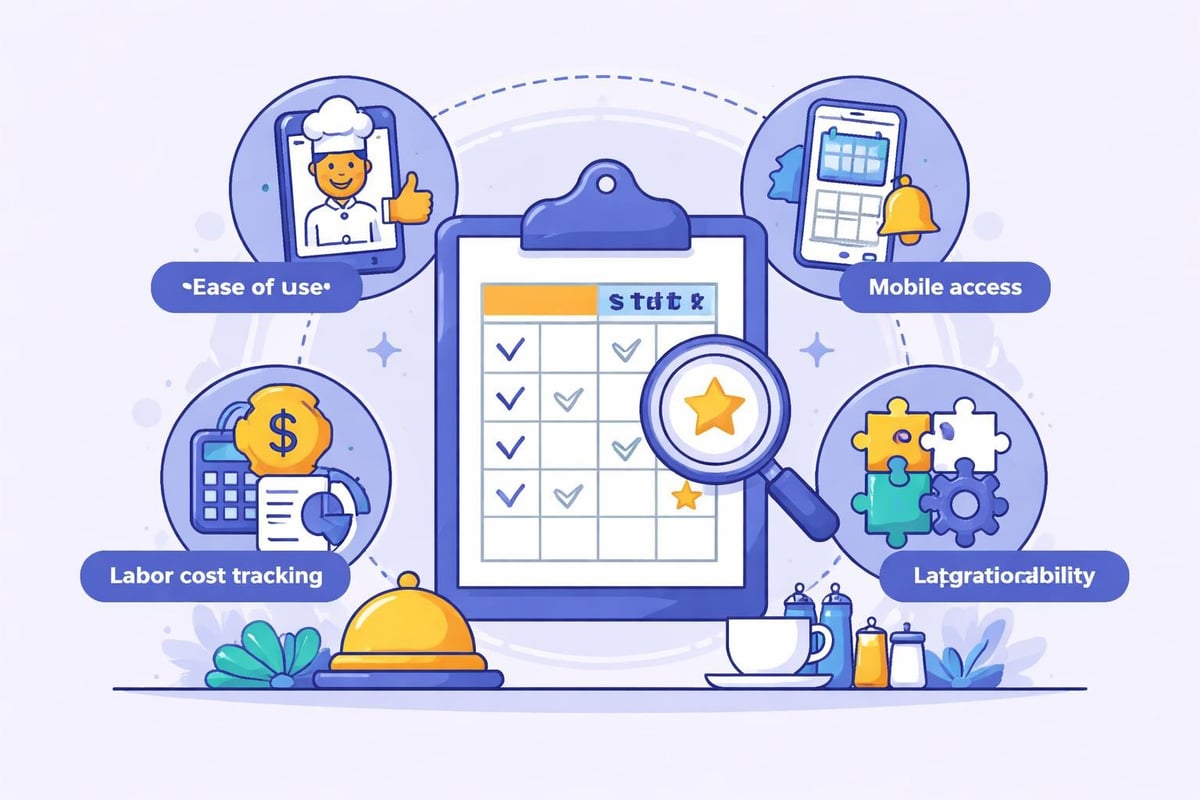
The market offers numerous free scheduling solutions, each with distinct strengths and limitations. Understanding these differences helps managers select the tool that best matches their operational needs.
General Scheduling Platforms
Several platforms provide free staff schedule maker functionality as part of broader business tools. Setmore's staff scheduling system combines appointment booking with team calendar management, making it ideal for cafes that take reservations alongside walk-in service.
Visme's employee schedule maker takes a visual approach, offering customizable templates with drag-and-drop scheduling and real-time collaboration. This design-forward option works well for smaller teams prioritizing aesthetic presentation.
Industry-Specific Solutions
Restaurant-focused scheduling tools understand the unique demands of food service operations. They anticipate needs like split shifts, variable tip reporting, and integration with point-of-sale systems.
Homebase's shift schedule maker specifically targets small hospitality businesses with AI-powered scheduling suggestions based on historical sales data and traffic patterns. This predictive capability helps managers staff appropriately for expected volume.
Specialized platforms for scheduling for restaurants incorporate features like section assignments for servers, station rotations for kitchen staff, and break scheduling that complies with service industry regulations.
Feature Limitations in Free Versions
Understanding what free staff schedule makers exclude helps set realistic expectations. Most free tiers impose constraints designed to encourage upgrades.
Common limitations include:
Maximum employee counts (often 10-20 users)
Restricted historical data access (30-90 days)
Limited integration options with payroll or POS systems
Basic reporting without advanced analytics
Reduced customer support channels
Advertising or branding on shared schedules
RosterShare's free roster generator provides unlimited employees but limits advanced features like automated reminders. ScheduleBase's online schedule maker offers mobile apps across platforms but reserves some notification types for paid subscribers.
Evaluate whether these limitations impact your operational requirements. A café with 15 employees may find free versions perfectly adequate, while a restaurant with 50 staff across multiple locations likely needs paid features.
Implementing a Free Staff Schedule Maker
Successfully deploying scheduling software requires more than simply creating accounts. Proper implementation ensures adoption across your team and delivers the productivity benefits these tools promise.
Initial Setup and Configuration
Begin by defining your organizational structure within the platform. Create positions that match your staffing reality (server, bartender, line cook, dishwasher, host) and establish which roles require specific qualifications or certifications.
Input your business hours and typical shift patterns. Most free staff schedule makers allow you to establish standard shift types (morning, swing, closing) with default start and end times that managers can adjust as needed.
Setup checklist:
Configure business locations and departments
Define positions and required skills or certifications
Establish shift templates for common patterns
Set labor cost parameters including wages and overtime rules
Customize notification preferences for managers and staff
Import existing employee roster with contact information
Platforms like ZoomShift streamline onboarding with guided setup wizards that walk managers through configuration steps, reducing the technical barrier to implementation.
Training Staff on the New System
Technology only creates value when people use it correctly. Invest time in training both managers who build schedules and employees who consume them.
Schedule hands-on training sessions where staff can practice viewing schedules, submitting availability, and requesting time off. Create quick-reference guides with screenshots for common tasks. Consider designating tech-savvy team members as peer champions who can assist colleagues.
Address resistance directly by emphasizing benefits to employees: easier schedule access, reduced miscommunication, and fairer availability consideration. When staff understand how the system improves their work experience, adoption accelerates.
Migration from Paper or Spreadsheet Schedules
Transitioning from traditional scheduling methods requires careful planning. Run parallel systems initially, creating schedules in both the new platform and your existing method until confidence builds.
This transition period also reveals gaps in your process. You might discover employees whose availability was never properly documented or shift requirements that existed informally but weren't written down. Document these insights to improve your scheduling practices.
Archive historical schedules before full migration. Many disputes about hours worked or schedule changes reference past weeks. Having this reference information accessible prevents conflicts and supports accurate recordkeeping.
Optimizing Your Scheduling Process
A free staff schedule maker provides the infrastructure for efficient scheduling, but process optimization determines actual results. Strategic approaches maximize the return on your scheduling investment.
Building Schedules Based on Demand Forecasting
The most efficient schedules align staffing levels with anticipated customer volume. Overstaffing during slow periods wastes money, while understaffing during peak times damages service quality and stresses employees.
Analyze historical sales data to identify patterns. Most restaurants see predictable volume variations by day of week, time of day, and season. Friday dinner consistently requires more servers than Tuesday lunch. December holiday parties create scheduling needs different from February lulls.
Day Pattern | Typical Demand | Scheduling Strategy |
|---|---|---|
Monday-Tuesday | Low | Minimal staff, cross-trained employees |
Wednesday-Thursday | Moderate | Standard coverage, flexibility for walkouts |
Friday-Saturday | High | Maximum staff, backup coverage planned |
Sunday | Variable | Brunch-focused for cafes, low for dinner service |
A quality free staff schedule maker integrates with POS systems or allows manual sales data input, enabling demand-based scheduling recommendations. This data-driven approach eliminates guesswork and optimizes labor spend.
Balancing Employee Preferences with Business Needs
Fair scheduling considers employee preferences while meeting operational requirements. Staff who receive desirable shifts tend to perform better and stay longer, reducing turnover costs.
Rotate less desirable shifts (early morning opens, late night closes) equitably across qualified employees. Track who worked holidays to ensure fair distribution of premium pay opportunities. Consider seniority when multiple employees request the same popular shifts.
DesignCap's staff schedule maker includes features for tracking shift distribution, making it easier to identify imbalances and ensure equitable scheduling practices.
Communication and Schedule Distribution
Creating an excellent schedule means nothing if employees don't see it. Establish consistent publication timelines so staff knows when to expect new schedules.
Effective communication practices:
Publish schedules at least one week in advance (two weeks preferred)
Send automatic notifications when schedules are published or changed
Require confirmation that employees viewed their schedules
Maintain an open-door policy for schedule concerns
Document all schedule changes with timestamps and reasons
Most free staff schedule makers offer mobile apps that push notifications directly to employee phones. This immediate delivery eliminates excuses about not seeing schedule updates and reduces no-shows from miscommunication.

Advanced Scheduling Strategies
Beyond basic schedule creation, sophisticated approaches unlock additional benefits from your free staff schedule maker.
Shift Swapping and Employee Self-Service
Empower employees to solve their own scheduling conflicts through managed shift swapping. When staff can trade shifts directly (with manager approval), it reduces last-minute coverage scrambles and improves schedule flexibility.
Establish clear policies for shift swaps. Require advance notice (24-48 hours minimum), mandate that employees finding their own replacements possess equivalent qualifications, and reserve manager veto rights for business reasons.
Self-service portals reduce manager workload while increasing employee autonomy. Staff appreciate the flexibility, and managers avoid the administrative burden of coordinating every schedule adjustment.
Managing Last-Minute Changes and Call-Outs
Even perfect schedules encounter disruptions. Illness, emergencies, and unexpected personal situations create coverage gaps that managers must fill quickly.
Maintain a clearly defined call-out procedure. Employees should know exactly how much advance notice is required and which manager to contact. Your free staff schedule maker should track attendance patterns, making it easy to identify reliability trends.
Create backup plans for each shift. Know which off-duty employees live nearby and typically accept additional hours. Consider maintaining an on-call list for high-volume periods when call-outs create more severe problems.
Compliance and Labor Law Considerations
Scheduling software helps maintain compliance with increasingly complex labor regulations. Many jurisdictions now require predictable scheduling, adequate rest between shifts, and compensation for schedule changes made without sufficient notice.
Your free staff schedule maker should flag potential violations before schedule publication. Look for features that warn about:
Insufficient rest periods between closing and opening shifts
Overtime thresholds approaching or exceeded
Schedules published within restricted notice periods
Minor employees scheduled during prohibited hours
Meal and rest break requirements
Compliance failures create legal exposure and financial penalties far exceeding the cost of any scheduling software. Treating compliance as a core scheduling priority protects your business and demonstrates respect for employee wellbeing.
Measuring Scheduling Success
Data-driven evaluation reveals whether your free staff schedule maker delivers expected benefits. Establish metrics that quantify scheduling performance.
Key Performance Indicators
Track metrics that reflect scheduling efficiency and accuracy. Labor cost percentage (labor cost divided by revenue) indicates whether schedules align with financial targets. Schedule adherence measures how often published schedules required changes due to call-outs or manager errors.
Essential scheduling metrics:
Labor cost as percentage of revenue (target varies by concept, typically 25-35%)
Schedule changes per week (lower numbers indicate better initial planning)
Time spent creating schedules (efficiency gains from software adoption)
Employee satisfaction with scheduling fairness (survey quarterly)
Shift coverage gaps requiring last-minute fill-ins
Custom platforms built with tools like Softr's staff scheduling tool can integrate directly with your data sources, creating dashboards that visualize these metrics in real-time.
Gathering Employee Feedback
Employees experience scheduling outcomes daily. Their insights identify friction points that data alone might miss.
Conduct brief surveys asking staff to rate schedule fairness, advance notice adequacy, and ease of requesting time off. Anonymous feedback encourages honesty about manager favoritism or inequitable shift distribution.
Hold periodic team meetings specifically addressing scheduling. Ask what's working well and what frustrates employees. This dialogue demonstrates that management values input and creates opportunities for continuous improvement.
Continuous Improvement Process
Scheduling excellence requires ongoing refinement. Review your metrics monthly, identifying trends and opportunities for optimization.
When problems emerge, investigate root causes. High schedule change rates might indicate poor demand forecasting, inadequate availability collection, or insufficient cross-training. Each root cause requires different solutions.
Test scheduling adjustments systematically. If you suspect different shift start times would improve coverage, try the change for one month and measure results. Data-driven experimentation replaces guesswork with evidence, gradually optimizing your scheduling approach.
Integration with Broader Business Systems
Your free staff schedule maker becomes more powerful when connected to other business tools. Integration eliminates duplicate data entry and creates seamless workflows.
Payroll System Connections
Manual timesheet creation from schedules creates transcription errors and administrative burden. Integration between scheduling and payroll systems ensures accurate, automatic timesheet generation.
Some free staff schedule makers export schedule data in formats compatible with popular payroll services. Even without direct integration, standardized exports reduce manual entry time and improve accuracy.
Verify that hours worked match scheduled hours, investigating variances that might indicate time theft, inefficiency, or scheduling errors. This reconciliation protects against overpayment while ensuring employees receive correct compensation.
Point-of-Sale Data Utilization
POS systems contain valuable scheduling insights. Transaction volumes by hour reveal precisely when customer demand peaks. Average ticket sizes and table turn times inform staffing requirements.
Advanced scheduling platforms analyze POS data to recommend optimal staffing levels. While most free staff schedule makers lack sophisticated POS integration, manual analysis still provides benefits. Export sales reports weekly and compare them to scheduled labor hours, identifying opportunities to improve alignment.
This analytical approach transforms scheduling from reactive guesswork into proactive planning based on your specific customer patterns.
Communication Platform Integration
Modern teams communicate through Slack, Microsoft Teams, or similar platforms. Schedule notifications delivered through existing communication channels increase visibility and reduce the chance employees miss updates.
Look for free staff schedule makers offering Zapier integration or native connections to your communication tools. Automated notifications when schedules publish, shift swaps occur, or time-off requests need approval keep everyone informed without creating additional manual communication tasks.
Finding the right free staff schedule maker transforms restaurant and café operations by reducing administrative burden, improving schedule accuracy, and enhancing employee satisfaction. The tools and strategies outlined in this guide provide a roadmap for implementation that addresses the specific challenges service industry managers face daily. Heybegin specializes in scheduling and time tracking solutions purpose-built for restaurants, cafes, pubs, and hospitality businesses, offering smart automation that simplifies shift management, tracks hours accurately, and reduces labor costs. Start building better schedules today with tools designed specifically for the unique demands of your industry.