Staff Time Clock Software: Complete Guide for 2026
Discover how staff time clock software transforms restaurant operations. Learn key features, implementation tips, and best practices for 2026.
Managing employee hours accurately remains one of the most critical yet challenging aspects of running a successful restaurant or service business. Traditional punch cards and manual timesheets create opportunities for errors, buddy punching, and time theft that directly impact your bottom line. Staff time clock software has evolved into a sophisticated solution that addresses these challenges while streamlining payroll processing and improving operational efficiency. As we move through 2026, these digital systems have become essential tools for businesses seeking to maintain accurate records, ensure compliance, and optimize labor costs in an increasingly competitive marketplace.
Understanding Modern Time Clock Technology
Staff time clock software represents a significant evolution from traditional mechanical punch clocks. Today's solutions leverage cloud computing, mobile connectivity, and advanced biometric verification to create comprehensive workforce management ecosystems.
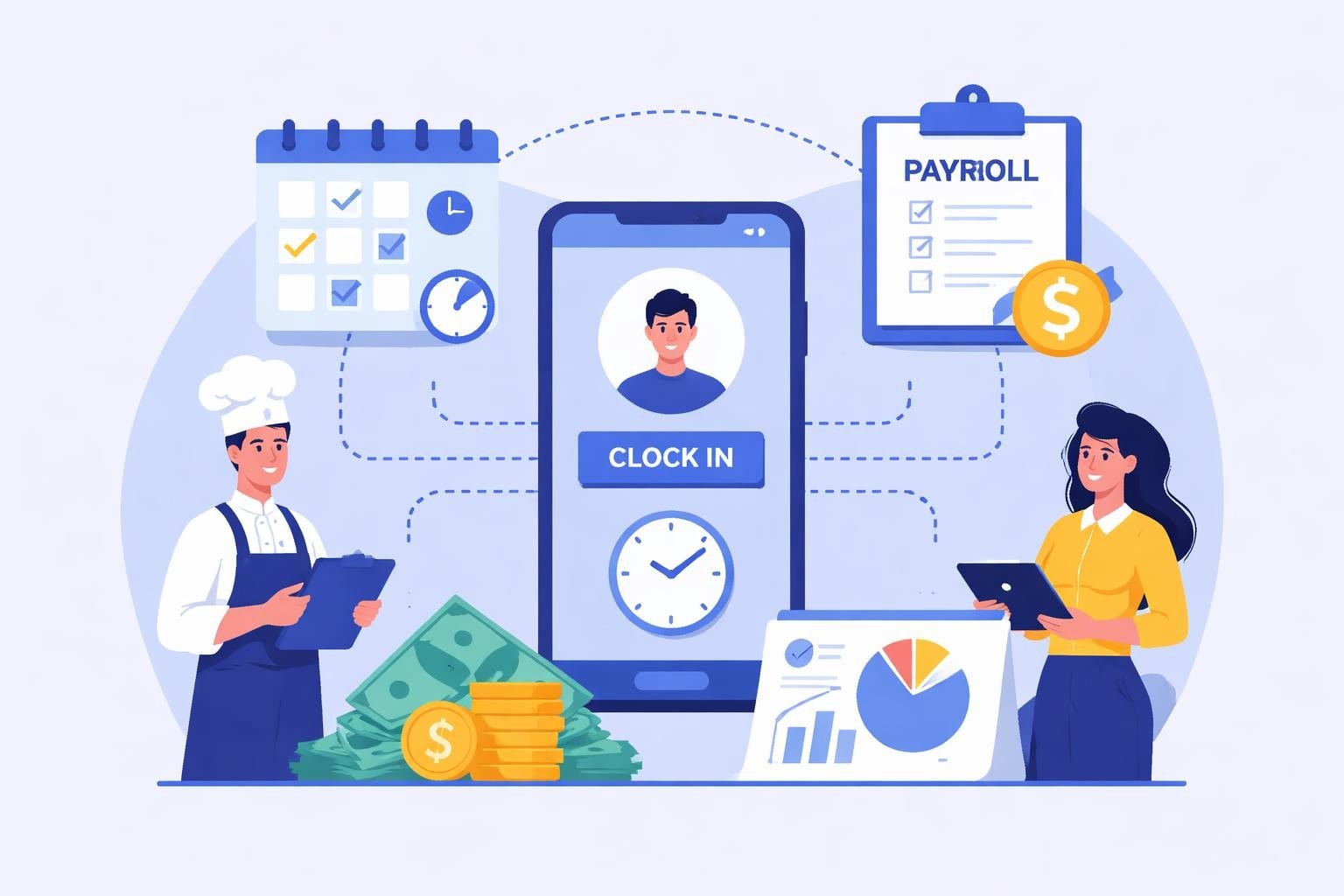
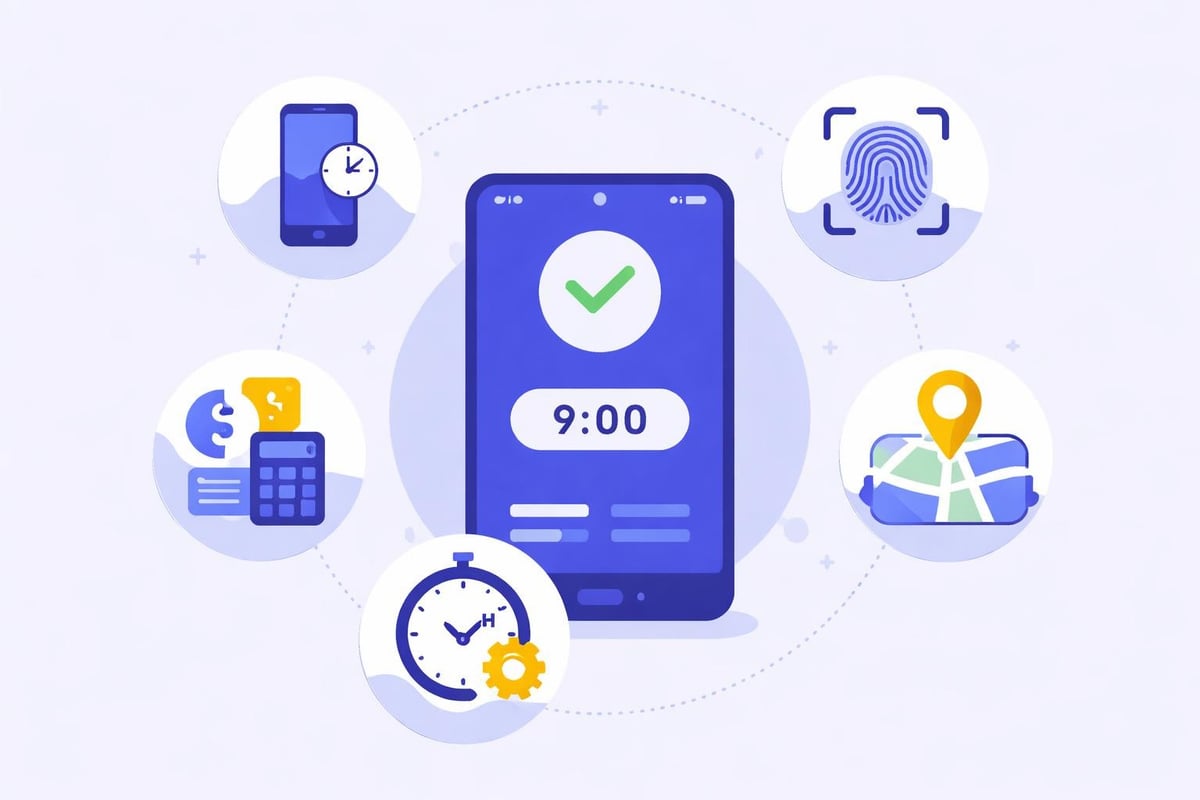
These platforms enable employees to clock in and out using multiple methods, including mobile apps, tablets, desktop computers, or dedicated kiosk terminals. The flexibility ensures that workers can record their time regardless of their location or role within the organization.
Key capabilities that distinguish modern systems include:
Real-time hour tracking with automatic break deductions
GPS and geofencing verification for remote workers
Biometric authentication to prevent buddy punching
Automatic overtime calculations and alerts
Seamless payroll system integration
Comprehensive reporting and analytics dashboards
The transition from paper-based systems to digital solutions has reduced administrative burden significantly. Managers no longer spend hours reconciling timesheets or investigating discrepancies. Instead, they access instant reports that provide complete visibility into labor costs and attendance patterns.
Essential Features for Restaurant Operations
Restaurants and food service establishments face unique scheduling challenges that require specialized functionality. Peak dining hours, split shifts, and high employee turnover create complexity that generic time tracking solutions cannot adequately address.
Real-Time Clock Management
The ability to monitor who is working at any given moment proves invaluable during busy service periods. When a dinner rush hits unexpectedly, managers need instant visibility into available staff and current labor costs. Real-time tracking capabilities enable quick decisions about calling in additional help or adjusting server sections.
Modern staff time clock software updates immediately when employees clock in or out, providing current headcount information accessible from anywhere. This transparency helps managers stay within budget while maintaining adequate staffing levels during critical service windows.
Integration With Scheduling Systems
The most powerful implementations combine time tracking with schedule management. When your staff scheduling platform communicates directly with your time clock, discrepancies become immediately apparent.
Integration Benefit | Impact on Operations | Cost Savings |
|---|---|---|
Automated variance alerts | Identifies early/late clock-ins | 2-3% of labor costs |
Schedule adherence tracking | Reduces unauthorized overtime | 15-20 hours monthly |
Shift confirmation reminders | Decreases no-shows | 5-7% fewer gaps |
Real-time labor cost projections | Enables proactive adjustments | 4-6% reduction |
These connections eliminate double data entry and ensure that scheduled hours align with actual worked time. Managers receive alerts when employees clock in significantly before their scheduled start time or exceed their planned shift duration.
Mobile Accessibility
Restaurant managers rarely sit at desks. They move between the dining room, kitchen, and office throughout their shifts. Staff time clock software with robust mobile applications ensures they can approve timesheets, respond to clock-in issues, and review labor reports from any location.
Employees benefit equally from mobile access. They can view their hours, request time off, and receive shift reminders directly on their smartphones. This convenience reduces missed shifts and improves communication between management and staff.
Implementation Best Practices
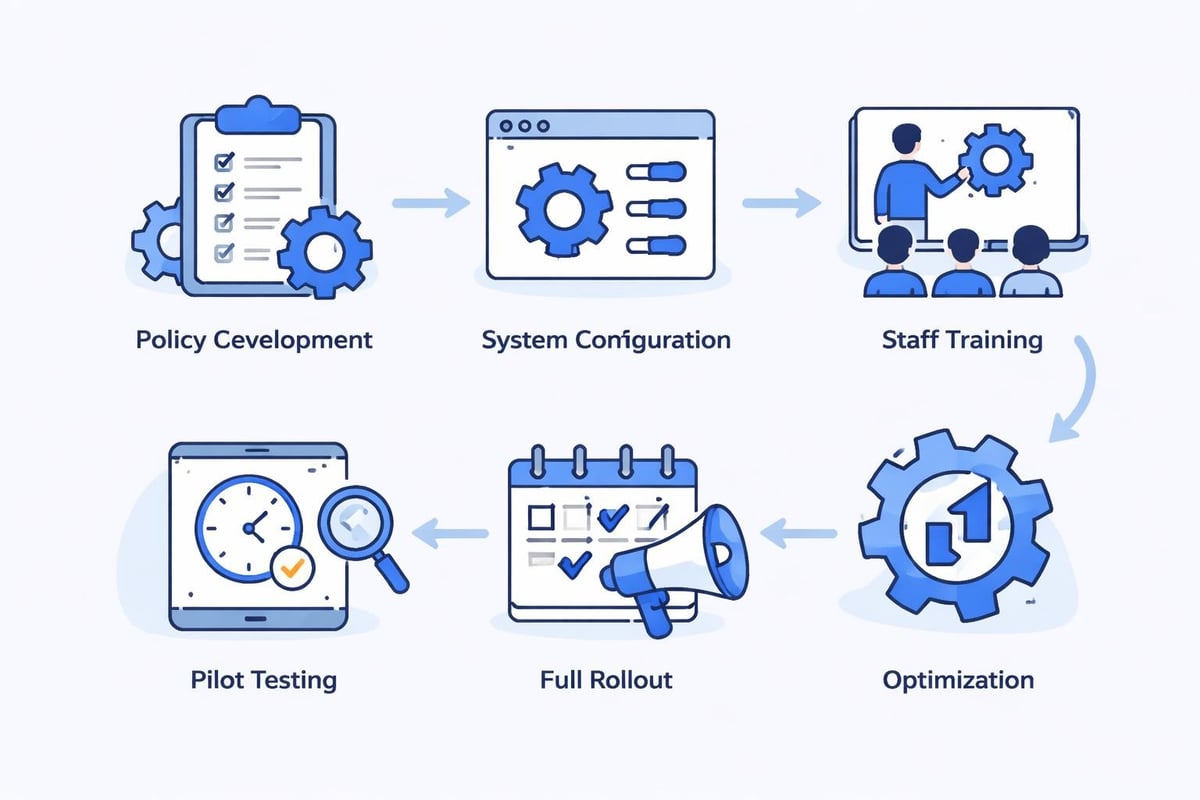
Successfully deploying new time tracking technology requires more than simply purchasing software. The implementation process significantly influences adoption rates and ultimate return on investment.
Training and Onboarding
Comprehensive training prevents confusion and resistance. Schedule hands-on sessions where employees practice clocking in and out using the new system. Address concerns about privacy and explain how accurate time tracking benefits everyone through fair pay and proper scheduling.
Best practices for implementation emphasize creating clear documentation that employees can reference later. Video tutorials, quick-start guides, and FAQ sheets support different learning styles and reduce support requests.
Effective training programs include:
Manager certification sessions covering administrative functions
Group demonstrations for existing employees
Individual onboarding integrated into new hire orientation
Ongoing refresher courses quarterly
Accessible help resources within the application
Establishing Clear Policies
Technology alone cannot solve time tracking challenges without supporting policies. Document expectations regarding clock-in procedures, grace periods, meal breaks, and overtime approval before launching your new system.
Communicate these policies clearly during training and make them easily accessible. When employees understand the rules and consequences, compliance improves dramatically. Address common questions proactively, such as what to do if they forget to clock out or need to adjust an incorrect time entry.
Addressing Common Concerns
Employees sometimes view time tracking software with suspicion, fearing micromanagement or privacy invasion. Understanding how time tracking systems address these concerns helps managers frame the conversation positively.
Emphasize that accurate time tracking ensures everyone receives proper compensation for every minute worked. Highlight how automated systems eliminate manager bias and create transparent, verifiable records. When positioned as a tool that protects employee interests rather than simply monitoring them, staff time clock software gains acceptance more readily.
Overcoming Technical Challenges
Even the most sophisticated staff time clock software encounters occasional technical issues. Preparing for these situations minimizes disruption and maintains accurate records.
Internet Connectivity Problems
Cloud-based systems require reliable internet access. When connectivity fails, time tracking stops unless the software includes offline functionality. Select solutions that cache clock-in data locally and synchronize automatically when connection resumes.
Establish backup procedures for extended outages. Simple paper logs with clear instructions ensure you capture hours even when technology fails. Train managers to manually enter this data promptly once systems recover.
Device Malfunctions
Physical time clock terminals occasionally malfunction due to power issues, hardware failures, or software glitches. Maintain at least one backup device in secure storage. Regular testing ensures backup equipment remains functional when needed.
Mobile applications provide excellent redundancy. When the primary kiosk fails, employees can clock in using their smartphones or a manager's tablet. This flexibility prevents time tracking gaps that complicate payroll processing.
Data Accuracy Issues
Common issues with time tracking software include duplicate entries, missing punches, and timestamp errors. Automated validation rules catch many problems immediately, but managers must review exceptions regularly.
Implement daily audits during the first month after deployment. Quick reviews identify patterns suggesting configuration problems or additional training needs. As accuracy improves, reduce audit frequency while maintaining spot checks.
Leveraging Data for Better Decisions
The reporting capabilities within staff time clock software transform raw attendance data into actionable business intelligence. Restaurants that analyze this information gain competitive advantages through optimized labor deployment.
Labor Cost Analysis
Detailed reports reveal exactly how much you spend on labor by day, shift, position, or individual employee. Compare these costs against revenue to calculate labor cost percentages and identify trends requiring attention.
Understanding your restaurant labor costs at a granular level enables precise budgeting and forecasting. When you know that Monday lunches consistently run 8% higher labor costs than necessary, you can adjust scheduling accordingly.
Productivity Metrics
Tracking hours worked alongside output metrics creates productivity ratios that highlight efficiency opportunities. In restaurants, divide covers served by labor hours to determine staff productivity across different shifts and days.
Shift | Labor Hours | Covers Served | Productivity Ratio | Target Ratio | Variance |
|---|---|---|---|---|---|
Monday Lunch | 24 | 85 | 3.5 | 4.2 | -0.7 |
Friday Dinner | 42 | 210 | 5.0 | 4.8 | +0.2 |
Saturday Dinner | 48 | 245 | 5.1 | 4.8 | +0.3 |
Sunday Brunch | 32 | 165 | 5.2 | 4.5 | +0.7 |
These insights guide staffing decisions and identify high-performing shifts worth replicating. Low productivity periods receive additional scrutiny to uncover root causes and improvement opportunities.
Attendance Pattern Recognition
Staff time clock software captures comprehensive attendance histories that reveal patterns invisible in manual systems. Frequent tardiness, excessive sick days before or after weekends, and chronic early departures become apparent through automated reporting.
Address these patterns constructively using data as the foundation for conversations. Objective records eliminate "he said, she said" disputes and focus discussions on specific behaviors and expectations.
Compliance and Legal Considerations
Accurate time tracking protects businesses from wage and hour disputes while ensuring compliance with labor regulations. The penalties for violations can be severe, making reliable systems essential.
Wage and Hour Laws
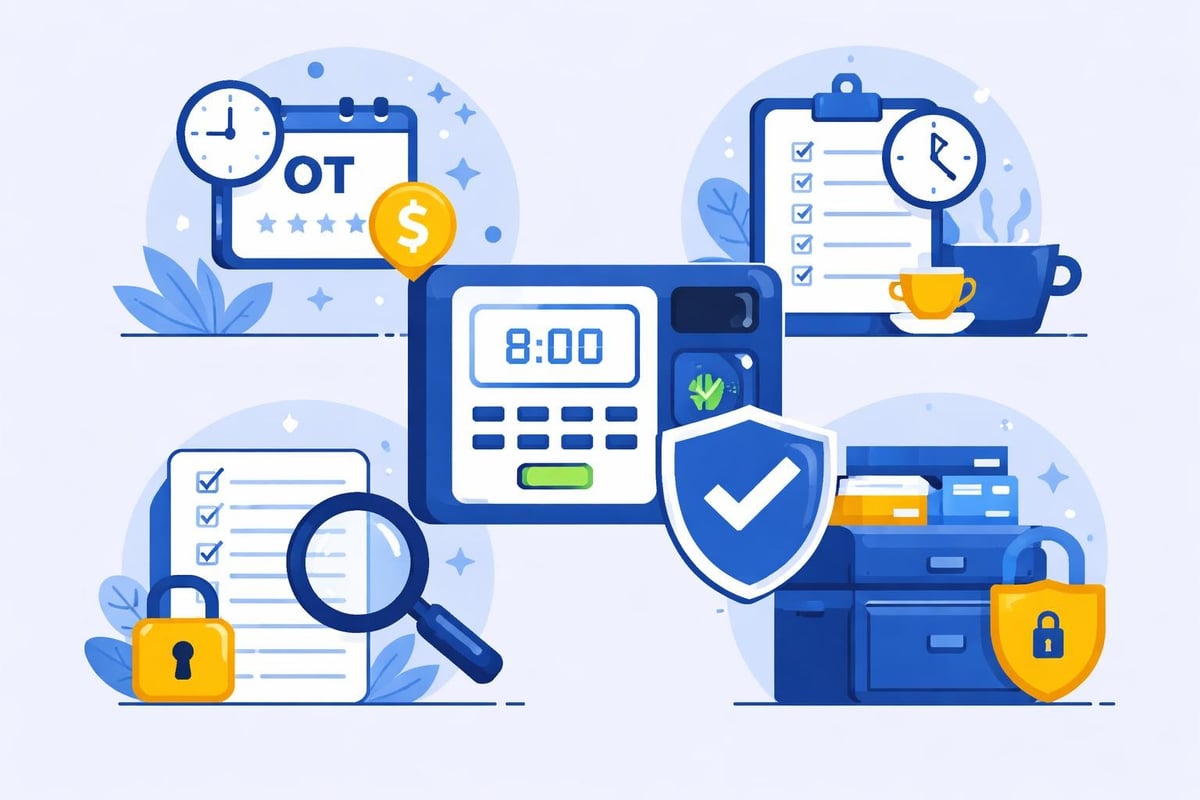
Federal and state laws mandate accurate recording of all hours worked, including overtime. Staff time clock software automatically calculates overtime based on your jurisdiction's rules, reducing compliance risk significantly.
The system creates an auditable trail documenting exact clock-in and clock-out times for every employee. During audits or litigation, these records provide definitive proof of hours worked and wages paid.
Break Compliance
Many jurisdictions require meal breaks and rest periods based on shift length. Configure your time clock system to enforce these requirements through automatic deductions and reminders.
Alerts notify managers when employees approach break thresholds, ensuring compliance even during busy periods. This proactive approach prevents violations that could result in penalties or lawsuits.
Record Retention
Labor laws require maintaining time records for specific periods, typically three to seven years depending on jurisdiction. Cloud-based staff time clock software automatically preserves these records in secure, searchable formats.
Digital storage eliminates physical filing cabinets while ensuring records remain accessible when needed. Backup systems protect against data loss that could leave businesses vulnerable during audits.
Advanced Capabilities for Growing Operations
As restaurants expand or add locations, basic time tracking becomes insufficient. Advanced features support multi-unit operations and complex organizational structures.
Multi-Location Management
Operators managing multiple restaurants need consolidated reporting across all locations while maintaining location-specific controls. Enterprise staff time clock software provides hierarchical permissions that allow corporate oversight without sacrificing site autonomy.
View aggregated labor data across your entire organization or drill down into specific locations, departments, or positions. This flexibility supports both strategic planning and tactical daily management.
Tip Tracking Integration
For tipped employees, accurate recording goes beyond hourly wages. Advanced systems track declared tips, credit card tips, and tip pooling arrangements while maintaining compliance with minimum wage requirements.
Automatic calculations ensure tipped employees receive at least minimum wage when combining base pay and tips. When tips fall short, the system flags the shortfall for additional compensation.
Forecasting and Scheduling Integration
The most sophisticated platforms connect historical time data with scheduling tools to predict future labor needs. Analyze past attendance and sales patterns to generate optimal schedules that balance customer service with cost control.
Employee rota software that incorporates time clock data creates schedules based on actual worked hours rather than assumptions, improving accuracy and reducing schedule-to-actual variances.
Evaluating Software Options
Selecting the right staff time clock software requires careful evaluation of features, costs, and vendor capabilities. The wrong choice leads to frustration, poor adoption, and wasted investment.
Essential Evaluation Criteria
Must-have features for restaurant operations:
Intuitive interface requiring minimal training
Multiple clock-in methods including mobile and kiosk
Real-time reporting accessible on mobile devices
Automated overtime calculations and alerts
Schedule integration and variance tracking
Reliable customer support during business hours
Competitive pricing aligned with business size
Request demonstrations from multiple vendors and involve your management team in evaluations. The people using the system daily should influence the selection decision.
Understanding Total Cost of Ownership
Published pricing often excludes important costs. Consider hardware requirements, implementation fees, training expenses, and ongoing support charges when comparing options. Comprehensive guides to time clock software help identify hidden costs that affect total investment.
Monthly subscription fees represent just one component of total cost. Factor in the value of reduced time theft, fewer payroll errors, and decreased administrative time when calculating return on investment.
Vendor Reliability and Support
Software functionality matters little if the vendor provides poor support or experiences frequent outages. Research vendor track records, read customer reviews, and request references from similar businesses.
Confirm support availability matches your operating hours. Restaurants working evenings and weekends need vendors offering extended support coverage. Response time commitments should be documented in service level agreements.
Maximizing Return on Investment
Implementing staff time clock software represents a significant investment. Maximizing returns requires ongoing optimization and continuous improvement.
Regular System Audits
Schedule quarterly reviews of system usage, accuracy rates, and feature adoption. Identify underutilized capabilities that could deliver additional value. Many businesses use only a fraction of their software's functionality, missing opportunities for improvement.
Compare current performance against baseline metrics established during implementation. Track improvements in payroll processing time, timesheet accuracy, and administrative efficiency.
Continuous Training
Employee turnover necessitates regular training for new hires. Rather than treating training as a one-time event, build ongoing education into your operational rhythm. Brief refresher sessions during pre-shift meetings keep best practices top of mind.
Share tips for using advanced features as employees gain comfort with basics. Time tracking best practices evolve as technology advances, requiring periodic updates to policies and procedures.
Data-Driven Optimization
Use the insights generated by your staff time clock software to continuously refine scheduling practices. Test different staffing levels during various dayparts and measure the impact on service quality and labor costs.
Create feedback loops where time data informs schedule creation, actual performance validates or challenges those schedules, and adjustments improve future planning. This iterative approach compounds small improvements into significant operational advantages.
Modern staff time clock software has transformed from simple punch clocks into comprehensive workforce management platforms that drive operational efficiency and profitability. By selecting the right solution, implementing it thoughtfully, and leveraging its insights strategically, restaurants and service businesses gain competitive advantages through optimized labor deployment and reduced administrative burden. Heybegin offers smart scheduling and time tracking solutions purpose-built for restaurants, cafes, pubs, and service industries, combining real-time hour tracking with automated scheduling to help you reduce labor costs while improving team efficiency. Ready to transform how you manage your workforce? Discover how Heybegin can simplify your operations today.