Time Tracking Templates for Service Industry Success
Discover how time tracking templates streamline scheduling, reduce labor costs, and improve payroll accuracy for restaurants and service businesses.
Managing employee hours accurately represents one of the most critical challenges facing restaurants, cafes, and service industry businesses today. Time tracking templates provide a structured framework for recording work hours, calculating wages, and maintaining compliance with labor regulations. These templates transform what could be a chaotic manual process into an organized system that saves money, reduces errors, and gives managers visibility into labor costs in real time. Whether you operate a small coffee shop or manage multiple restaurant locations, implementing the right time tracking solution can dramatically improve your operational efficiency.
Understanding Time Tracking Templates and Their Value
Time tracking templates serve as pre-formatted documents designed to capture employee work hours systematically. These tools range from simple spreadsheet layouts to sophisticated digital formats that integrate with payroll systems. The fundamental purpose remains consistent: creating an accurate record of when employees start work, take breaks, and clock out.
For service industry businesses, these templates address several pain points simultaneously. They eliminate handwritten timesheets prone to errors, provide transparency for both managers and staff, and create audit trails for compliance purposes. Restaurants particularly benefit because labor typically represents 25-35% of total operating costs, making precise tracking essential for profitability.
Key Components Every Template Should Include
Effective time tracking templates must contain specific data fields to be truly useful:
Employee identification (name, ID number, or employee code)
Date and day of the week for each entry
Clock-in and clock-out times with clear formatting
Break periods documented separately from work hours
Total hours worked calculated automatically when possible
Overtime indicators flagging hours beyond standard thresholds
Signature or approval fields for manager verification
The variety of timesheet templates available from Toggl Track demonstrates how different formats serve different business needs, from daily tracking to monthly summaries.
Types of Time Tracking Templates for Different Needs
Service industry businesses operate on diverse schedules that demand different tracking approaches. Understanding which template type aligns with your operational model ensures you capture the right data without creating unnecessary administrative burden.
Daily Time Tracking Templates
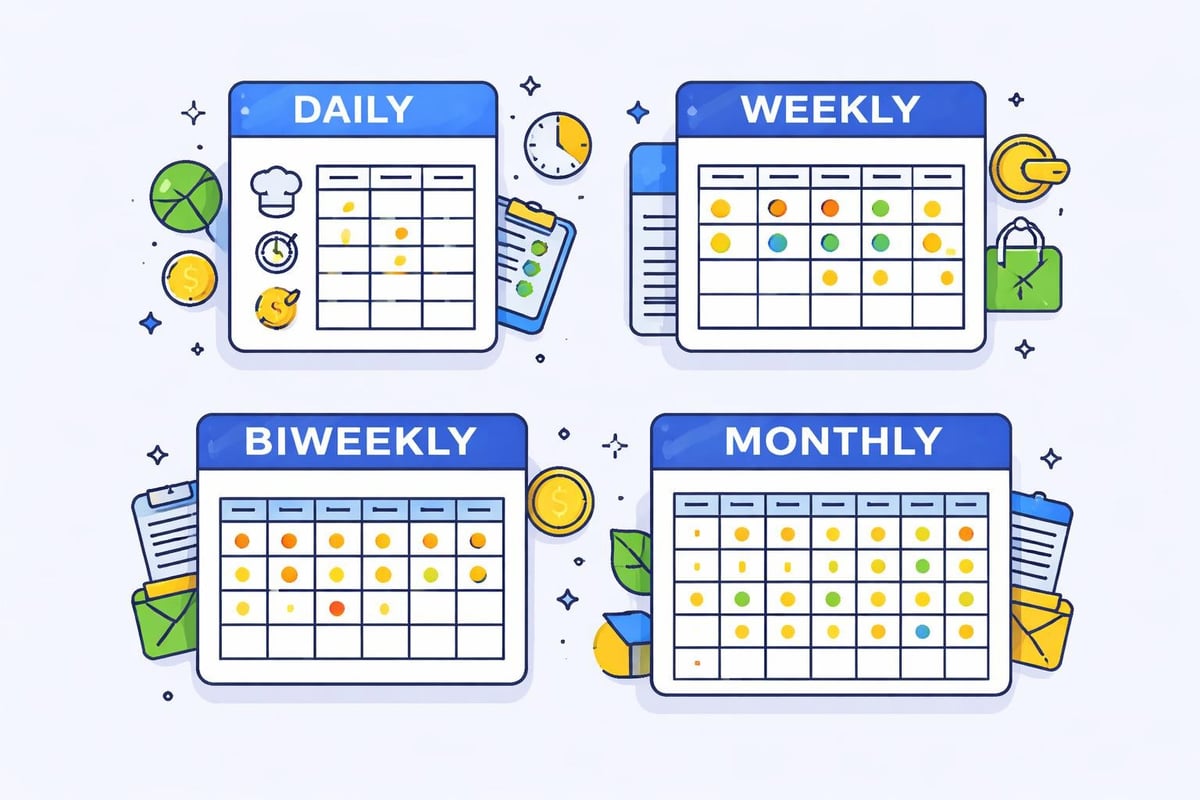
Daily templates work exceptionally well for businesses with variable schedules or project-based work. Each employee receives a fresh template daily, recording hours for that specific 24-hour period. This granular approach helps identify patterns in labor allocation and makes it easier to track productivity on particular days or during special events.
Restaurants hosting private events or experiencing unpredictable rushes find daily templates particularly valuable. The 24-hour timesheet templates from EARLY provide detailed tracking that captures every shift nuance.
Weekly and Biweekly Templates
Weekly time tracking templates consolidate five to seven days of work hours onto a single document, reducing paperwork volume while maintaining detailed records. These formats align perfectly with standard restaurant scheduling practices, where managers typically plan shifts one or two weeks in advance.
Biweekly templates match common payroll cycles, streamlining the transition from time tracking to wage calculation. When your pay periods run every two weeks, using templates that mirror this structure eliminates the need to transfer data between multiple weekly sheets.
Template Type | Best For | Primary Advantage | Potential Drawback |
|---|---|---|---|
Daily | Variable schedules, events | Maximum detail | Higher administrative volume |
Weekly | Standard restaurant operations | Balanced detail/convenience | Doesn't match all pay periods |
Biweekly | Standard payroll cycles | Direct payroll integration | Less flexibility for adjustments |
Monthly | Salaried positions | Minimal paperwork | Delayed error detection |
Monthly Summary Templates
Monthly templates aggregate an entire month's work hours, typically used for salaried employees or managers whose schedules remain relatively consistent. While these reduce administrative frequency, they can obscure short-term patterns and delay the discovery of tracking errors. Service businesses with primarily hourly staff generally find weekly or biweekly formats more practical.
Digital vs. Paper Templates: Making the Right Choice
The debate between digital and paper time tracking templates continues, though technology increasingly favors digital solutions. Each approach offers distinct advantages that matter differently depending on your business context.
Paper templates maintain their appeal in certain situations. They require no technology infrastructure, work during power outages, and feel familiar to employees uncomfortable with digital tools. Small cafes with limited staff and simple schedules may find paper entirely adequate. The customizable templates from Xero can be printed and used in traditional workflows.
Digital templates transform time tracking through automation and integration capabilities. Formulas calculate total hours instantly, reducing mathematical errors. Digital records enable remote access, allowing managers to review timesheets from anywhere. Integration with scheduling and payroll systems eliminates redundant data entry. Understanding labor costs for restaurants becomes substantially easier when digital templates feed directly into analytical tools.
Integration Capabilities Matter
Modern service businesses operate multiple interconnected systems: scheduling software, point-of-sale platforms, payroll processors, and accounting tools. Digital time tracking templates that integrate across these systems multiply their value exponentially.
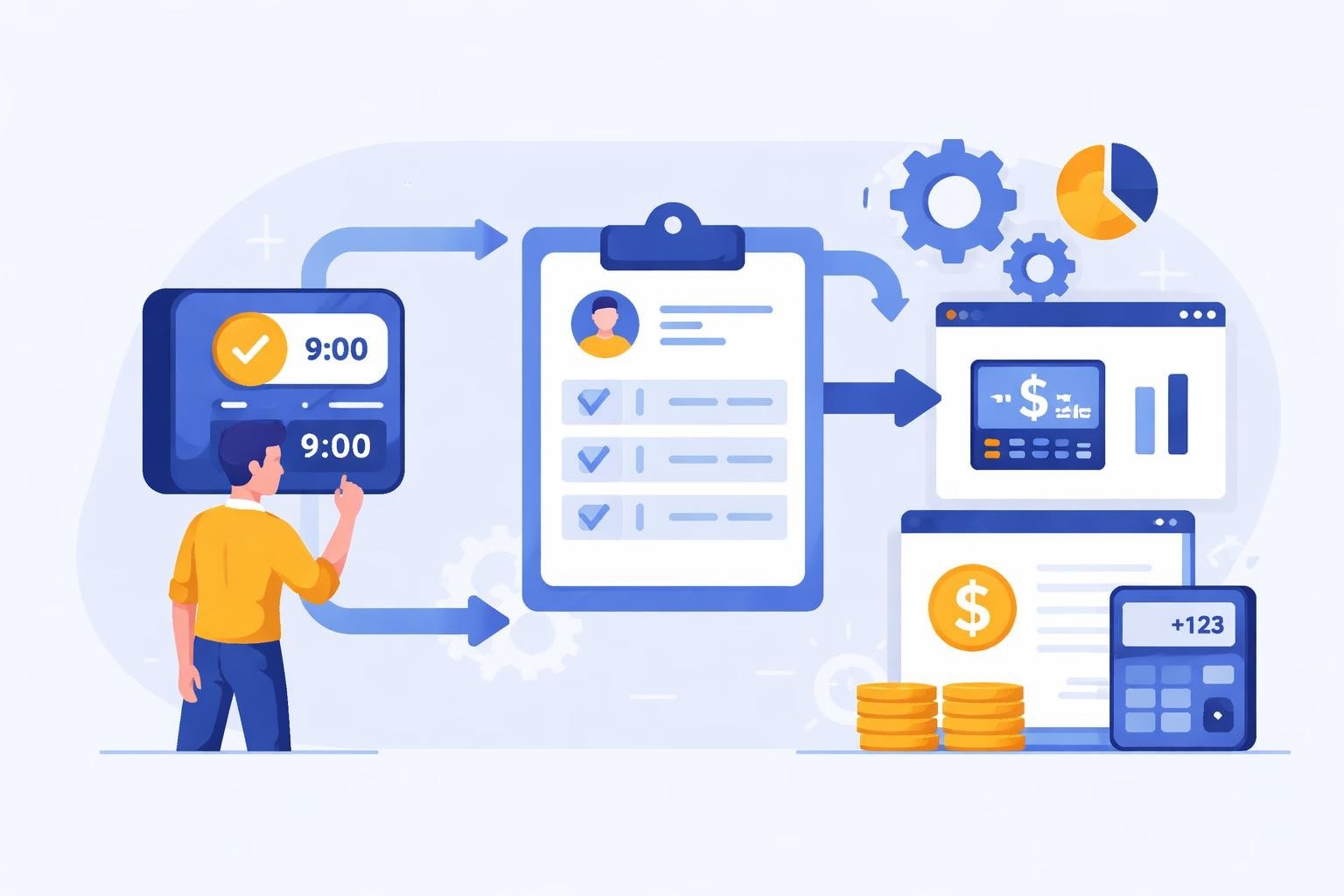
When an employee clocks in through an integrated system, that timestamp automatically populates the timesheet template, updates the schedule to show who's actually working, and begins accumulating hours toward payroll. This seamless flow eliminates manual reconciliation between systems and dramatically reduces opportunities for errors or manipulation.
Building Effective Time Tracking Templates for Restaurants
Creating templates that actually get used consistently requires thoughtful design focused on simplicity and relevance. Templates that demand excessive detail or confuse employees with poor layouts eventually get abandoned or completed incorrectly.
Start by identifying the minimum viable information you absolutely need. For most restaurants, this includes employee name, shift date, start time, end time, and break duration. Additional fields like position worked, tips received, or section assigned add value only if you'll actually analyze that data.
Layout and Usability Principles
Template design directly impacts completion accuracy and compliance. Consider these principles when selecting or creating templates:
Use clear headers that eliminate ambiguity about what information belongs in each field
Provide adequate space for entries without making the template unnecessarily large
Include instructions directly on the template for first-time users
Design for the format (digital templates can use dropdowns; paper needs write-in fields)
Incorporate calculation helpers like total hour fields that auto-calculate in digital formats
Build in verification steps through supervisor signature lines or approval checkboxes
The business timesheet templates from Microsoft demonstrate professional formatting that balances comprehensiveness with usability.

Implementing Time Tracking Templates in Your Operation
Successful implementation extends beyond simply choosing a template. The transition from old methods to new templates requires change management, training, and ongoing refinement based on real-world use.
Begin with a pilot program involving one location or department. This controlled rollout reveals practical issues before they affect your entire operation. Gather feedback from both managers and hourly employees about what works and what creates friction.
Training Staff on Template Usage
Employee adoption determines template success more than any other factor. Staff won't use tools they don't understand or perceive as creating extra work. Comprehensive training addresses both the "how" and the "why" behind your time tracking templates.
Conduct hands-on training sessions where employees practice completing templates using sample data. Create quick reference guides showing proper completion for common scenarios. Explain how accurate time tracking protects employees by ensuring they receive correct pay and proper break periods.
Managers need separate training focused on verification, exception handling, and how to interpret the data templates generate. They should understand how to spot common errors, address deliberate falsification, and use timesheet data for scheduling improvements and labor cost control.
Common Implementation Challenges
Resistance from employees accustomed to old methods who view new templates as unnecessary complication
Inconsistent completion where some staff members complete templates thoroughly while others submit incomplete data
Technical issues with digital templates, including formatting problems, calculation errors, or system compatibility
Manager oversight gaps where supervisors fail to review and approve timesheets promptly
Template-reality mismatches when your actual operations don't fit the template structure
Address these challenges through clear communication about expectations, consequences for non-compliance, technical support for digital tools, and willingness to modify templates based on legitimate feedback.
Advanced Features for Service Industry Templates
Basic time tracking templates capture hours worked, but advanced features transform them into strategic management tools. These enhancements provide insights that drive better business decisions and improve operational efficiency.
Project or task tracking fields allow employees to allocate hours to specific activities. A restaurant might track time spent on food preparation versus service versus cleaning. This granularity reveals where labor hours actually go and identifies efficiency opportunities. The staff timesheet template from Bonsai includes project tracking capabilities that adapt well to service industry needs.
Overtime tracking and alerts become critical as you approach labor thresholds. Templates that automatically flag when employees near overtime help managers make real-time scheduling adjustments, potentially saving thousands in premium wage costs annually.
Integration with Scheduling Systems
The most powerful time tracking templates don't exist in isolation. They connect directly with scheduling systems, creating a closed loop between planned and actual hours. When schedules feed into timesheets, employees see their expected shift times pre-populated, simply confirming arrival and departure rather than entering times from scratch.
This integration also enables powerful variance analysis. Compare scheduled hours against actual worked hours to identify patterns: Does the dinner shift consistently run over? Do employees regularly arrive early or stay late? These insights inform better shift swapping policies and more accurate future scheduling.
Compliance Considerations for Time Tracking
Time tracking templates serve legal compliance purposes beyond operational efficiency. Federal and state labor laws mandate accurate record-keeping of employee hours, breaks, and wages. Inadequate documentation exposes businesses to wage theft claims, Department of Labor penalties, and expensive litigation.
Templates must capture break periods separately from working time to prove compliance with mandatory rest break laws. Many jurisdictions require meal breaks after specific hours worked; your template should document when these breaks occurred. Digital timestamps provide stronger legal evidence than handwritten entries that could be backdated or altered.
Retention requirements vary by jurisdiction, but most states require keeping time records for at least three years. Digital templates simplify long-term storage and retrieval compared to filing cabinets full of paper timesheets. The timesheet templates from TimeTrack include compliance-focused features that help meet regulatory requirements.
Audit Trail and Data Integrity
Templates should create clear audit trails showing who entered data, when entries were made, and any subsequent modifications. This transparency protects both employers and employees. If a wage dispute arises, comprehensive records demonstrate good faith compliance efforts.
Implement approval workflows where managers must review and sign timesheets before payroll processing. This verification step catches errors early and establishes supervisory oversight. Digital systems can enforce these workflows automatically, preventing payroll submission until proper approvals are recorded.
Leveraging Template Data for Business Intelligence
Time tracking templates generate valuable data that extends far beyond payroll processing. Strategic analysis of timesheet information reveals operational patterns, cost trends, and optimization opportunities that directly impact profitability.
Labor cost percentage represents a critical restaurant metric, calculated by dividing total labor costs by total revenue. Accurate time tracking templates provide the numerator for this calculation. Regular monitoring identifies when labor percentages creep above targets, triggering corrective action before quarterly profits suffer.
Peak hour analysis uses timesheet data to identify when you're overstaffed or understaffed. Overlay actual hours worked against sales data to calculate labor efficiency ratios. Perhaps your Tuesday lunch shift consistently runs with more staff than sales justify, while Saturday evenings are chronically understaffed. This insight drives scheduling adjustments that improve both customer service and cost control.
Forecasting and Budgeting Applications
Historical timesheet data enables more accurate labor forecasting. Analyze how many hours different positions required during comparable periods: last year's Valentine's Day rush, summer tourist season, or holiday catering events. Use these patterns to build realistic labor budgets for upcoming periods.
The templates available from Timr include features specifically designed for project planning and resource allocation, principles that apply equally well to restaurant operations planning.
Customization Strategies for Unique Business Needs
Generic templates provide starting points, but customization ensures tools match your specific operational reality. Service businesses vary dramatically in size, complexity, and workflow, demanding tailored approaches to time tracking.
Single-location cafes need simpler templates than multi-unit restaurant groups. A coffee shop with eight employees can use straightforward weekly templates where everyone's hours appear on one page. A restaurant chain requires templates that separate by location, department, and position while maintaining corporate-wide consistency.
Position-specific templates help when different roles require different information. Kitchen staff might track time by station (grill, prep, pantry), while servers need fields for section assignments and tip reporting. Back-of-house employees may have different break requirements than front-of-house staff.
Building Templates That Scale
Design templates anticipating future growth. If you currently operate one location but plan to expand, choose template structures that accommodate multiple sites without complete redesign. Use location codes or dropdown menus rather than creating entirely separate templates for each restaurant.
Digital templates offer superior scalability compared to paper. The AI-powered template generation from Sourcetable demonstrates how modern tools can create customized solutions instantly without manual design work.
Mobile Access and Remote Time Tracking
Modern service industry employees expect mobile accessibility for work-related tools. Mobile-optimized time tracking templates allow employees to clock in from smartphones, view their hours, and submit timesheets without visiting a desktop computer.
This flexibility particularly benefits businesses with off-site work: catering staff at event venues, delivery drivers, or managers splitting time across multiple locations. Employees clock in when they arrive at the job site rather than estimating hours later from memory.
GPS-enabled mobile templates verify employee location during clock-in, confirming they're actually at your restaurant rather than clocking in from home. This geofencing capability reduces time theft while providing documentation for workers' compensation claims or client billing verification.
Time tracking templates transform chaotic labor management into organized, data-driven operations that reduce costs and ensure compliance. The right template selection and implementation strategy provides visibility into your most significant operating expense while automating tedious administrative work. For restaurants, cafes, and service businesses looking to streamline scheduling and time tracking, Heybegin offers purpose-built solutions that automate timesheets, track hours in real time, and integrate seamlessly with your existing workflows, helping you focus on delivering exceptional service rather than managing spreadsheets.